
Multiple Regression Analysis: The Ultimate Guide for Data Scientists
Master multiple regression analysis with this 2000+ word deep dive. Learn about partial coefficients, multicollinearity, Adjusted R², and matrix notation. Use our multiple regression calculator to solve complex problems with ease.
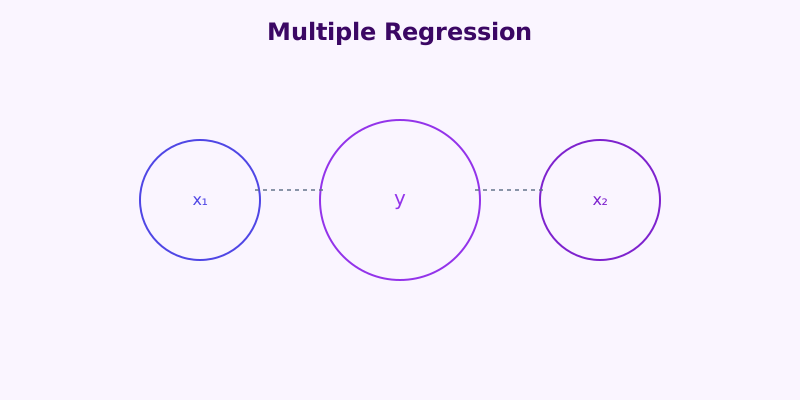
Imagine you’re trying to predict house prices. Square footage alone gives you a rough estimate — but what about the number of bedrooms, the age of the property, or the neighborhood crime rate?
When a single independent variable cannot adequately explain the variation in your dependent variable, multiple regression analysis comes into play.
Unlike simple linear regression, which models the relationship between one predictor and one outcome, multiple regression lets you account for two or more predictors simultaneously. The result is a far more accurate, nuanced, and actionable model of what truly drives your outcome variable. If you want to see the math in action, check our step-by-step guide.
In this guide, we’ll cover everything you need to know about multiple regression: the equation, how to interpret coefficients, key assumptions, real-world applications, and common pitfalls. For a high-level strategic perspective, see this refresher on regression analysis by Harvard Business Review.
Multiple regression handles two or more independent variables simultaneously.
One coefficient per predictor, plus the intercept b₀.
Linearity, independence, homoscedasticity, normality, and no multicollinearity.
What Is Multiple Regression Analysis?
Multiple regression analysis is a statistical technique used to model the relationship between one dependent (response) variable and two or more independent (predictor) variables.
It extends simple linear regression to situations where multiple factors jointly influence an outcome. You can use our multiple regression calculator to perform these analyses instantly.
The Hyperplane Concept
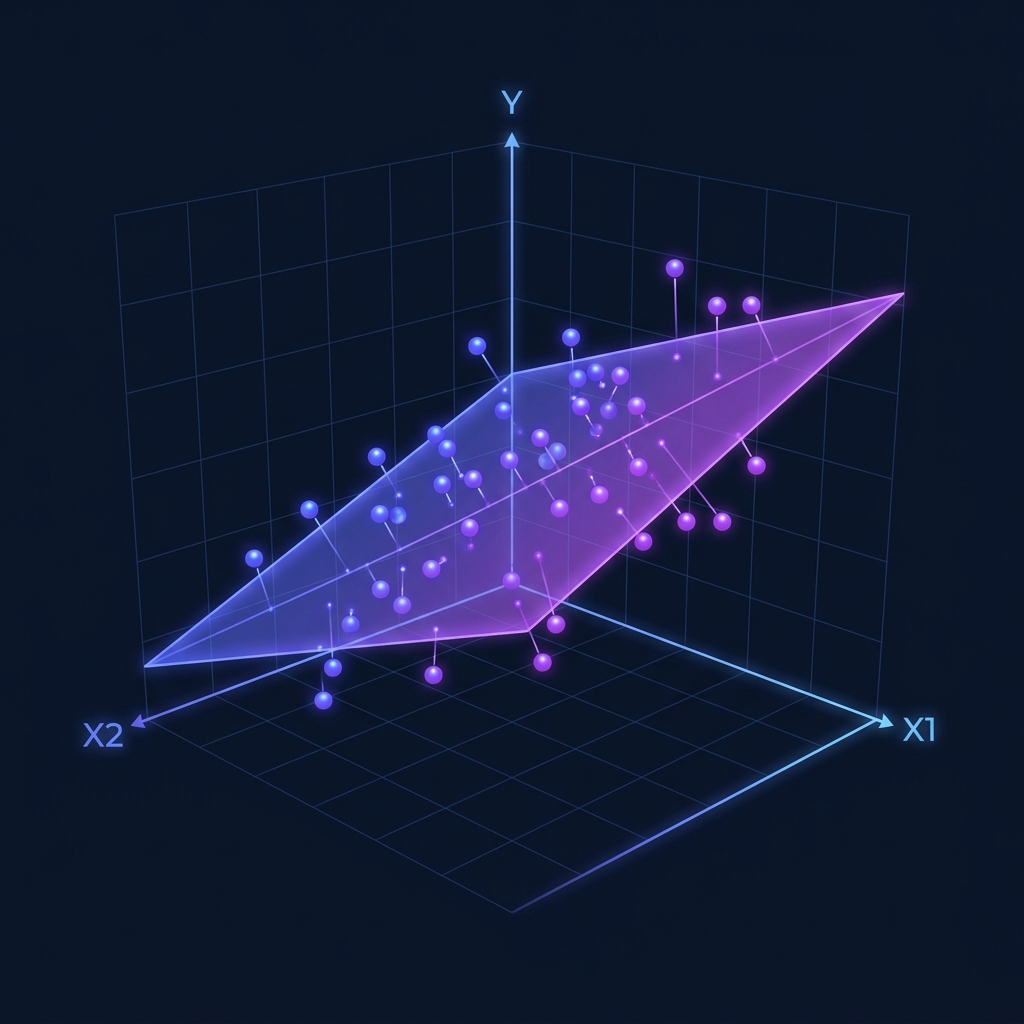
The core idea is straightforward: instead of fitting a line through data in two dimensions (x and y), multiple regression fits a hyperplane through data in three or more dimensions.
Each predictor gets its own coefficient, telling you how much the outcome changes per unit change in that predictor, holding all other predictors constant. For more technical details, check the Multiple Linear Regression entry on Wikipedia.
Why “Holding Constant” Matters
This “holding constant” property is what makes multiple regression so valuable. It lets you isolate the effect of each individual variable — something you simply cannot do with separate simple regressions.
The Multiple Regression Equation
The multiple regression equation extends the familiar y = mx + b form:
Where:
- y is the predicted value of the dependent variable.
- b₀ is the y-intercept (the predicted value when all predictors are zero).
- b₁, b₂, …, bₙ are the partial regression coefficients.
- x₁, x₂, …, xₙ are the independent variables (predictors).
Interpreting the Coefficients
Each coefficient bᵢ represents the change in y for a one-unit increase in xᵢ, assuming all other predictors remain constant. This is often called the “partial effect”.
Example Model for Home Prices:
Each additional square foot adds $150 to the price, holding bedrooms and age constant.
Each additional bedroom adds $20,000, holding size and age constant.
Each additional year of age reduces the price by $1,000, holding size and bedrooms constant.
Multiple vs. Simple Regression
Understanding the distinction is essential for choosing the right approach:
| Feature | Simple Linear Regression | Multiple Linear Regression |
|---|---|---|
| Predictors | Exactly 1 | 2 or more |
| Equation | y = mx + b | y = b₀ + b₁x₁ + b₂x₂ + … |
| Effect | Total effect of x | Partial effect (controlled) |
| Risk | High omitted variable bias | Reduced bias (if specified well) |
| Tool | Linear Calculator | Multiple Calculator |
Adjusted R²: The Proper Metric
Adding more predictors to a model will always increase raw R². Adjusted R² corrects for this by penalizing the addition of predictors that don’t genuinely improve the model. Always use adjusted R² when comparing models with different numbers of predictors.
Raw R² always goes up when you add a predictor.
Only rises when the new predictor genuinely improves the model.
Adds extra predictors to the degrees-of-freedom penalty.
Always report Adjusted R² when models differ in predictors.
The Five Key Assumptions
Before you can trust your results, you must verify five critical assumptions. You can use our regression assumptions checker to validate your data.
1. Linearity
The relationship between each predictor and the outcome must be approximately linear.
2. Independence of Errors
Residuals must be independent of each other (crucial for time-series data).
3. Homoscedasticity
The variance of residuals should be constant across all predicted values.
4. Normality of Residuals
The errors (residuals) should be approximately normally distributed.
5. No Multicollinearity
Predictors should not be too highly correlated with each other. If they are, individual coefficients become unstable. You can check initial correlations with our Pearson correlation calculator.
Real-World Applications
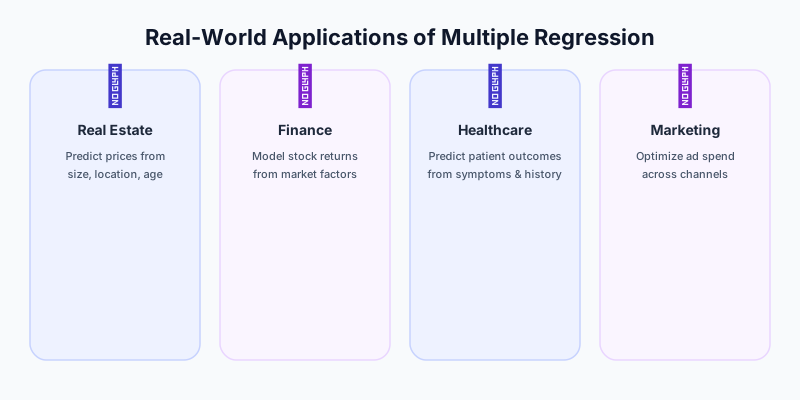
Real Estate
Estimating home values based on size, location, and age.
Finance
Explaining stock returns using market risk and company size.
Marketing
Quantifying the impact of TV, digital, and print ads on total sales.
Healthcare
Predicting patient recovery time based on age, dosage, and comorbidities.
Common Pitfalls to Avoid
Overfitting — adding too many predictors relative to your sample size.
Ignoring Multicollinearity — using two highly correlated variables (like height in inches and height in cm) in the same model.
Extrapolation — predicting values far outside the range of your original data.
Confusing Correlation with Causation — just because variables move together doesn’t mean one causes the other.
Try It Yourself: Interactive Demo
Adjust the sliders below to see how different factors influence a predicted house price in real time:
Predict House Price
Model: Price = b₀ + b₁(SqFt) + b₂(Bedrooms) − b₃(Age)
Predicted Price
$305,000
= 50,000 + 150(1500) + 20,000(3) − 1,000(10)
Ready to Calculate?
Our Multiple Regression Calculator handles complex data sets and provides the full equation, partial coefficients, and significance levels.
Try the Multiple Regression Calculator
Key Takeaways
Multiple regression handles two or more predictors to explain a single outcome.
It extends simple linear regression to multidimensional relationships.
Partial coefficients isolate the effect of one variable while holding others constant.
This “holding constant” property is what makes multiple regression uniquely valuable.
Adjusted R² is the gold standard for model comparison.
Unlike raw R², it penalizes useless predictors.
Multicollinearity is a unique risk in multiple regression.
Always check for redundant predictors before interpreting coefficients.
Use simple regression to build intuition, then scale up to multiple regression.
Start with one predictor and add complexity as your questions grow.
Under the Hood: Matrix Notation
While simple regression can be solved with basic algebra, multiple regression is almost always expressed using Matrix Algebra. This allows us to represent dozens or even hundreds of variables in a single, elegant equation.
The model is written as:
Where:
- $Y$ is a vector of $n$ observations of the dependent variable.
- $X$ is a matrix (often called the Design Matrix) of $n$ observations of $k$ independent variables, plus a column of 1s for the intercept.
- $\beta$ is a vector of $k+1$ coefficients to be estimated.
- $\epsilon$ is a vector of $n$ error terms.
The “Normal Equation” used to find the best-fitting coefficients is:
This formula is what our multiple regression calculator computes instantly, handling the complex matrix inversion that would take a human hours to complete by hand.
Advanced Feature Selection: Which Variables Belong?
One of the hardest parts of multiple regression isn’t the math—it’s deciding which variables to include. Include too few, and you have Omitted Variable Bias. Include too many, and you have Overfitting.
Forward Selection
You start with no variables and add the one that provides the highest statistical significance. You continue adding variables one by one until no new variable improves the model.
Backward Elimination
You start with all possible variables and remove the least significant one (highest p-value). You repeat this until only significant variables remain.
Stepwise Regression
A combination of both. You add variables like Forward Selection but also re-evaluate existing variables to see if they should be removed.
The Danger of Multicollinearity
Multicollinearity occurs when two or more of your independent variables are highly correlated with each other.
Why it’s a problem: If $x_1$ and $x_2$ move perfectly together, the regression model can’t tell which one is actually causing the change in $y$. This leads to:
Inflated standard errors — making variables look “not significant” when they actually are.
Unstable coefficients — small changes in data cause huge swings in coefficients.
Counter-intuitive signs — e.g., a positive effect showing up as negative.
How to detect it: Check the Variance Inflation Factor (VIF). A VIF > 5 or 10 usually indicates a problem. You can start by running a Pearson correlation calculator on all your predictors to see if any are redundant.
Interaction Effects: When Variables Work Together
Sometimes, the effect of one variable depends on the value of another. This is called an Interaction Effect.
Example: Suppose you are predicting plant growth based on both “Water” and “Sunlight”.
- Water helps growth.
- Sunlight helps growth.
- But Water + Sunlight together might provide a massive boost that neither provides alone.
To model this, you add an interaction term:
Advanced Frequently Asked Questions (FAQ)
1. How many observations do I need for multiple regression?
A common rule of thumb is at least 10 to 20 observations per predictor variable. If you have 5 predictors, you should aim for at least 50 to 100 data points to ensure stable estimates.
2. Can I compare coefficients to see which variable is “most important”?
Only if the variables are on the same scale. If one variable is “Income in Dollars” and another is “Age in Years,” you cannot compare their coefficients. To compare importance, use Standardized Coefficients (Beta weights), which our multiple regression calculator can provide.
3. What is “Overfitting”?
Overfitting happens when your model is so complex that it starts modeling the “noise” in your specific dataset rather than the actual underlying trend. An overfitted model will look great on your current data but fail miserably when used on new data.
4. What is the difference between R² and Adjusted R²?
R² always goes up when you add variables. Adjusted R² only goes up if the new variable improves the model more than would be expected by chance. In multiple regression, always report Adjusted R².
5. Can I use multiple regression for binary (Yes/No) outcomes?
No. For binary outcomes, you should use Logistic Regression. Linear regression can produce predictions above 1 or below 0, which doesn’t make sense for probabilities.
6. What is a “Dummy Variable”?
A dummy variable is a numeric variable used to represent categorical data. For example, to include “Region” (North, South, East, West), you would create three dummy variables. You always need one fewer dummy variable than there are categories.
7. How do I handle missing data?
You can either delete the rows with missing data (Listwise Deletion) or use “Imputation” to fill in the gaps. Be careful, as both methods can introduce bias if not handled correctly.
8. What is “Endogeneity”?
Endogeneity occurs when a predictor variable is correlated with the error term. This often happens if there is a “feedback loop” (where $y$ also affects $x$) or if a critical variable is missing from the model. It is a serious problem that requires advanced techniques like “Instrumental Variables.”
9. How do I interpret a log-transformed predictor?
If you take the natural log of a predictor, the coefficient represents the change in $y$ for a 1% change in $x$ (approximately). This is common in economics when dealing with things like income or population.
10. When should I stop adding variables?
Stop when the Adjusted R² stops increasing significantly, or when your p-values for new variables are high (> 0.05). Use “Parsimony” as your guide: the simplest model that explains the data is usually the best.
Summary Case Study: Marketing Mix Modeling
A global retailer wants to understand which advertising channels are most effective. They collect weekly data on:
- Total Sales ($y$)
- TV Spend ($x_1$)
- Social Media Spend ($x_2$)
- In-Store Promotions ($x_3$)
Using our free multiple regression calculator, they find:
Social Media ($12) is more than twice as effective as TV ($5) per dollar spent.
In-Store Promotions have the highest immediate impact ($20).
The retailer shifts 20% of their TV budget to Social Media, resulting in a predicted 15% increase in total ROI.
This level of strategic insight is only possible with multiple regression, allowing you to see the “big picture” of how multiple forces interact to drive success.